CorPrompt

Getting Started with Prompt Refinement

Ready to achieve better results from AI? Explore how CorPrompt transforms your ideas into powerful, effective prompts.
7 steps 83 views
1
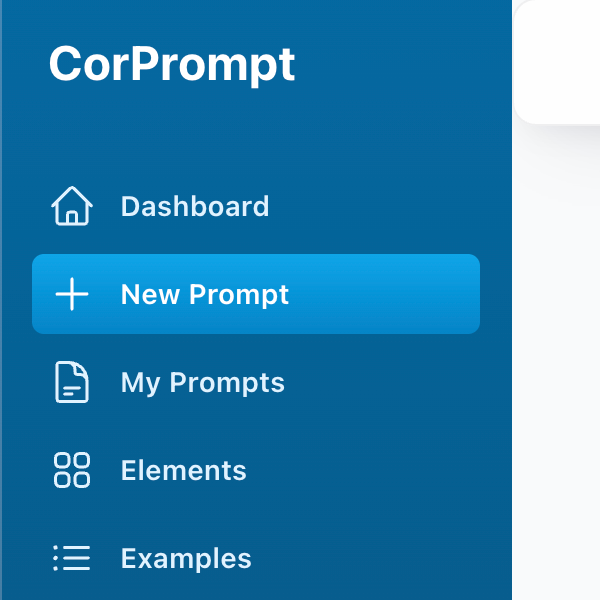
Click New Prompt in the menu.
CorPrompt Menu

CorPrompt Menu

2
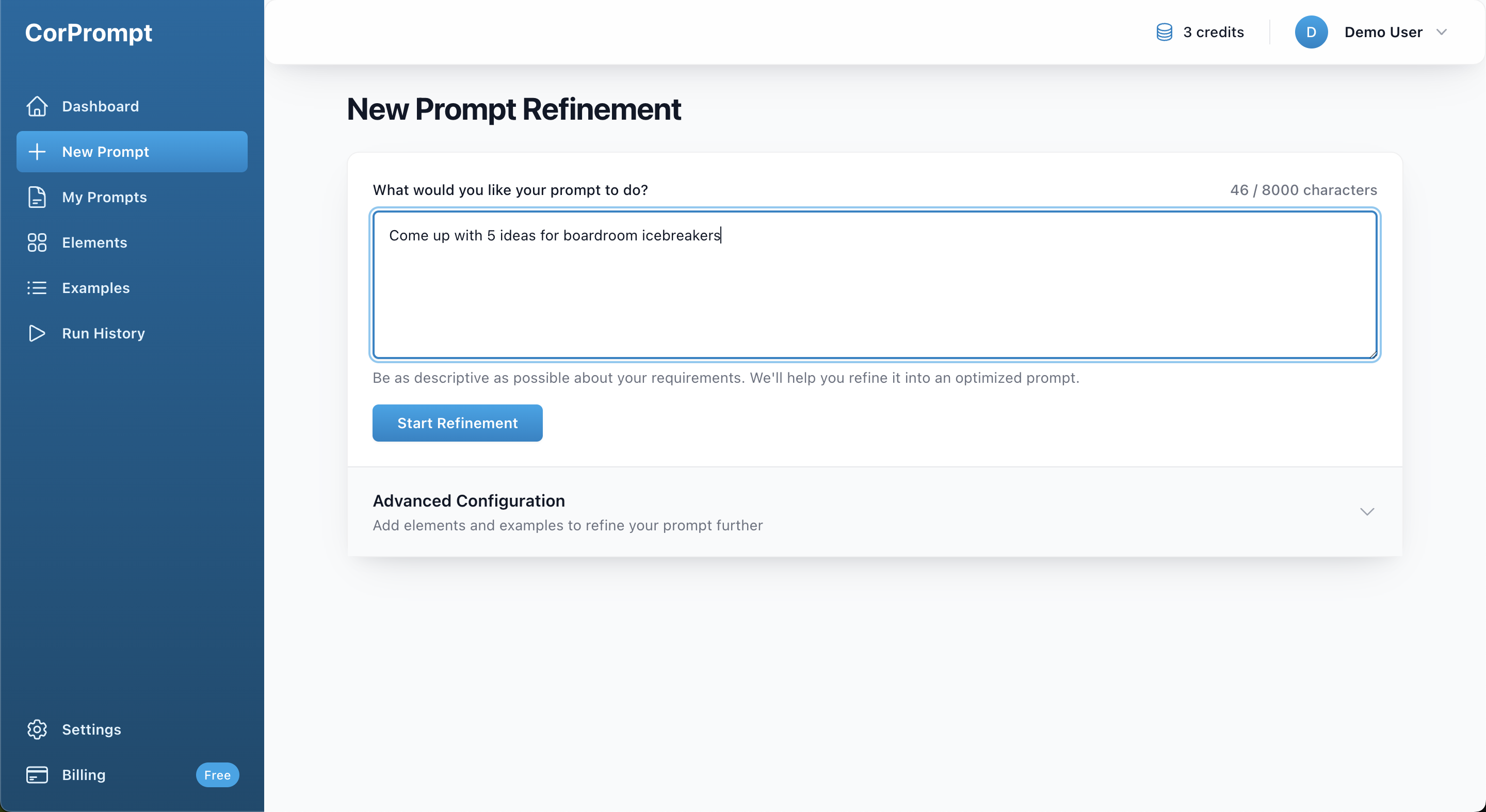
Write your prompt using your own words. There's no need to worry about perfect phrasing—simply include as much detail as you feel is relevant to your request.
New Prompt Refinement Form

New Prompt Refinement Form

3
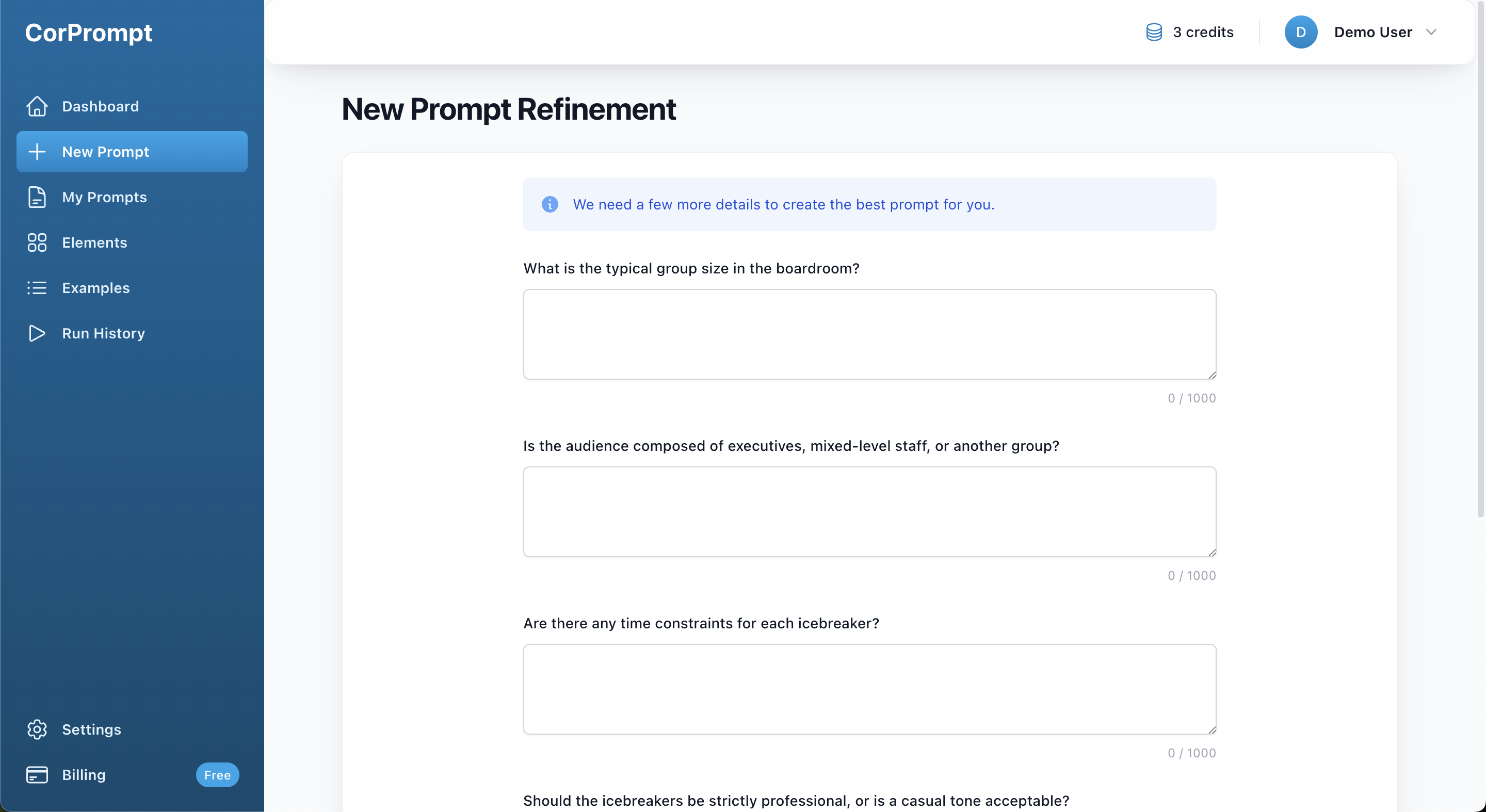
Our AI agent may request additional information to better understand your needs. While not all prompts require clarification, we recommend providing as much detail as possible to ensure the best results.
Clarification Questions Form

Clarification Questions Form

4
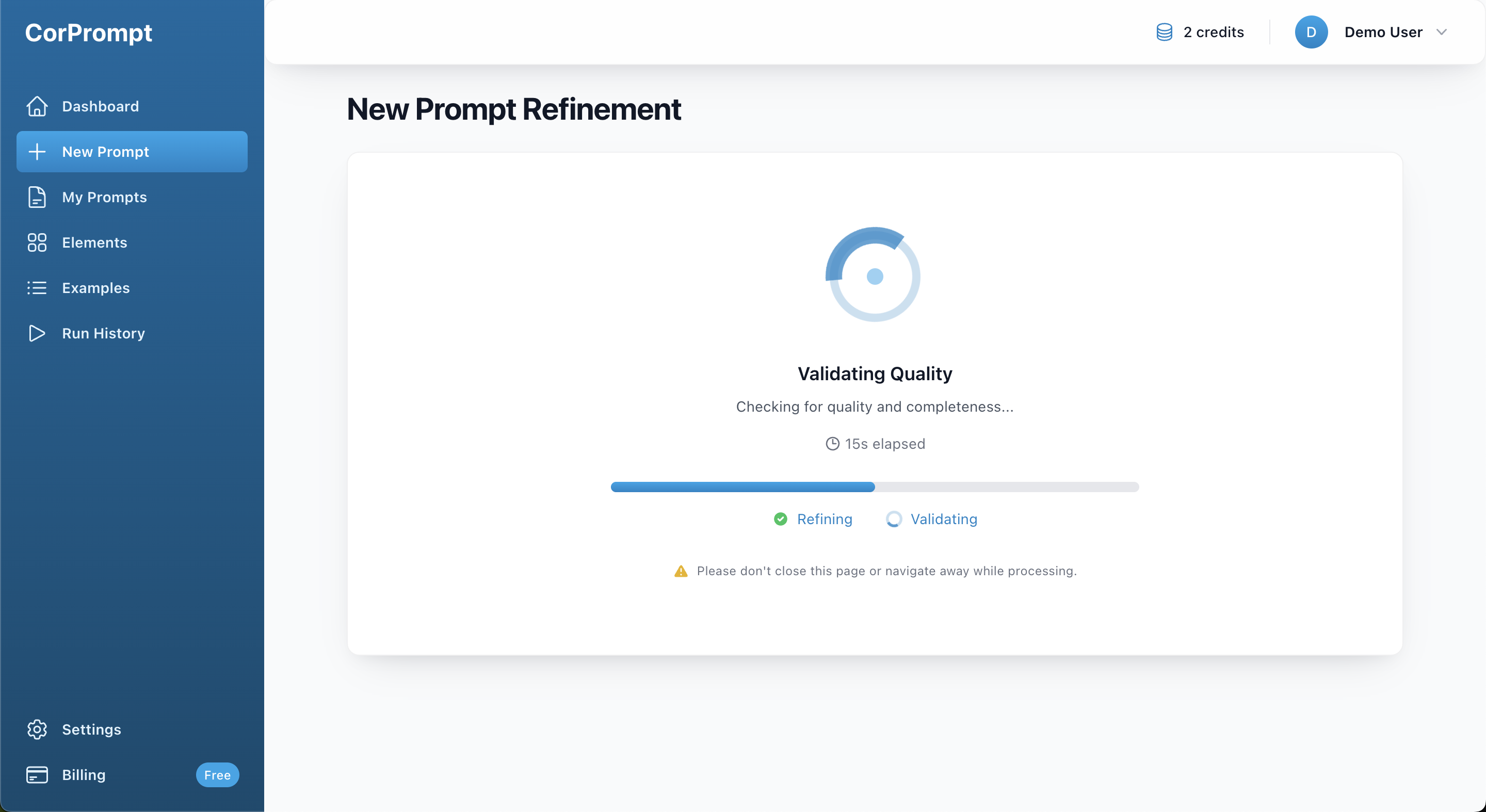
The refinement process now begins. This is an autonomous process whereby our AI agents review, revise, and validate your prompt until they're satisfied. This process usually takes 1-2 minutes, but may take longer. While this process is happening, please don't navigate away or close the browser.
Prompt Refinement Process

Prompt Refinement Process

5
Once your prompt passes validation, you'll be presented with the final draft. At this stage, you can review the validator's comments and evaluate whether the prompt meets your requirements.

If you'd like to make adjustments, you can refine the prompt further by providing additional instructions. Don't worry if you're not ready to finalize everything now—you can always return to make changes later.

When you're satisfied with the result, click Save & Complete to finish. Alternatively, if you'd prefer to start over, click Restart Process. Please note that restarting will consume an additional credit.
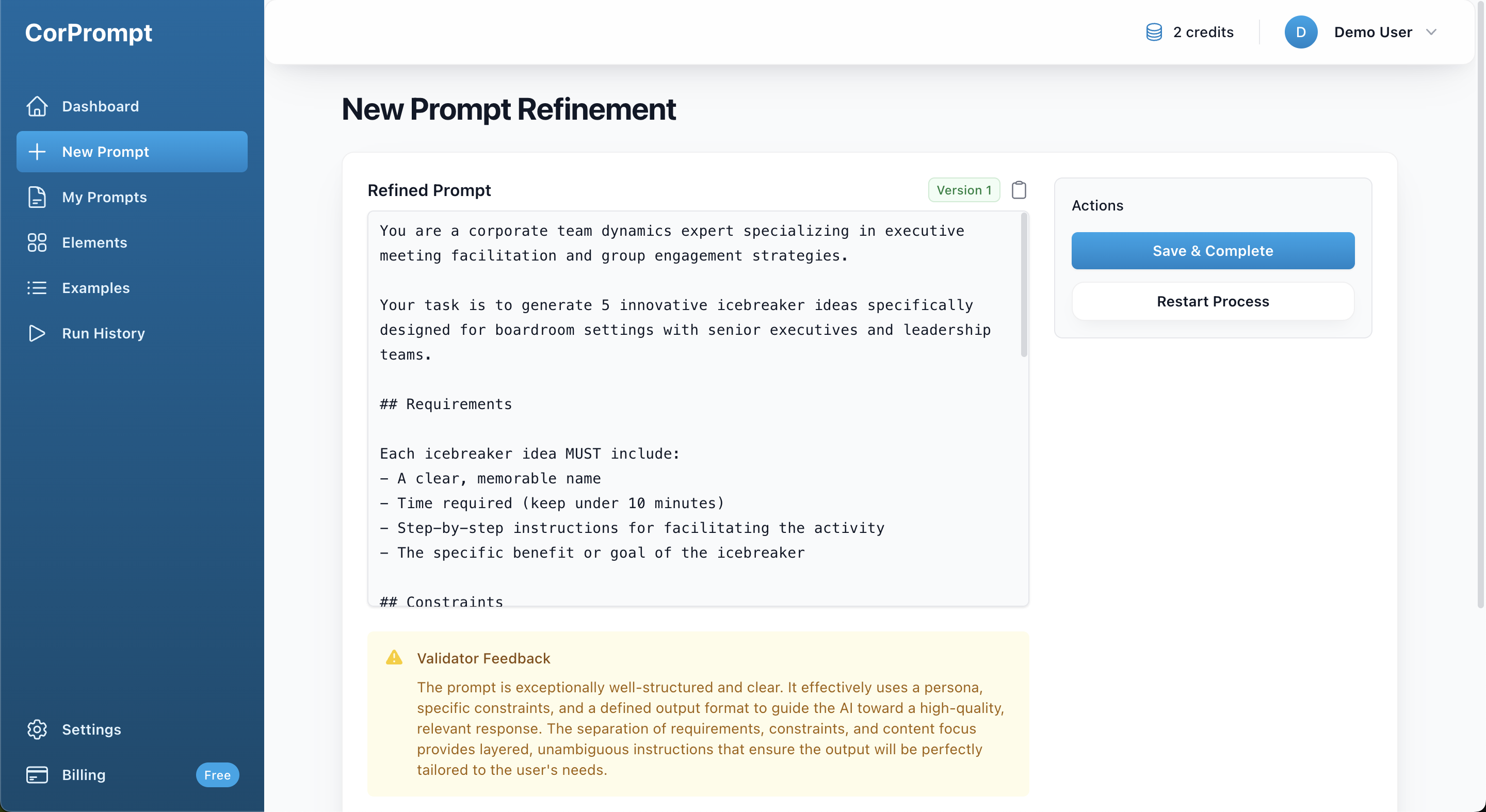
Refined Prompt Draft Screen

Refined Prompt Draft Screen

6
Enter a title for your prompt to help you identify it later. Our system will automatically suggest a title within a few seconds. If the suggested title doesn't suit your needs, or if no suggestion appears, you can simply type your own.

Click Save & Complete again to finalize your prompt.
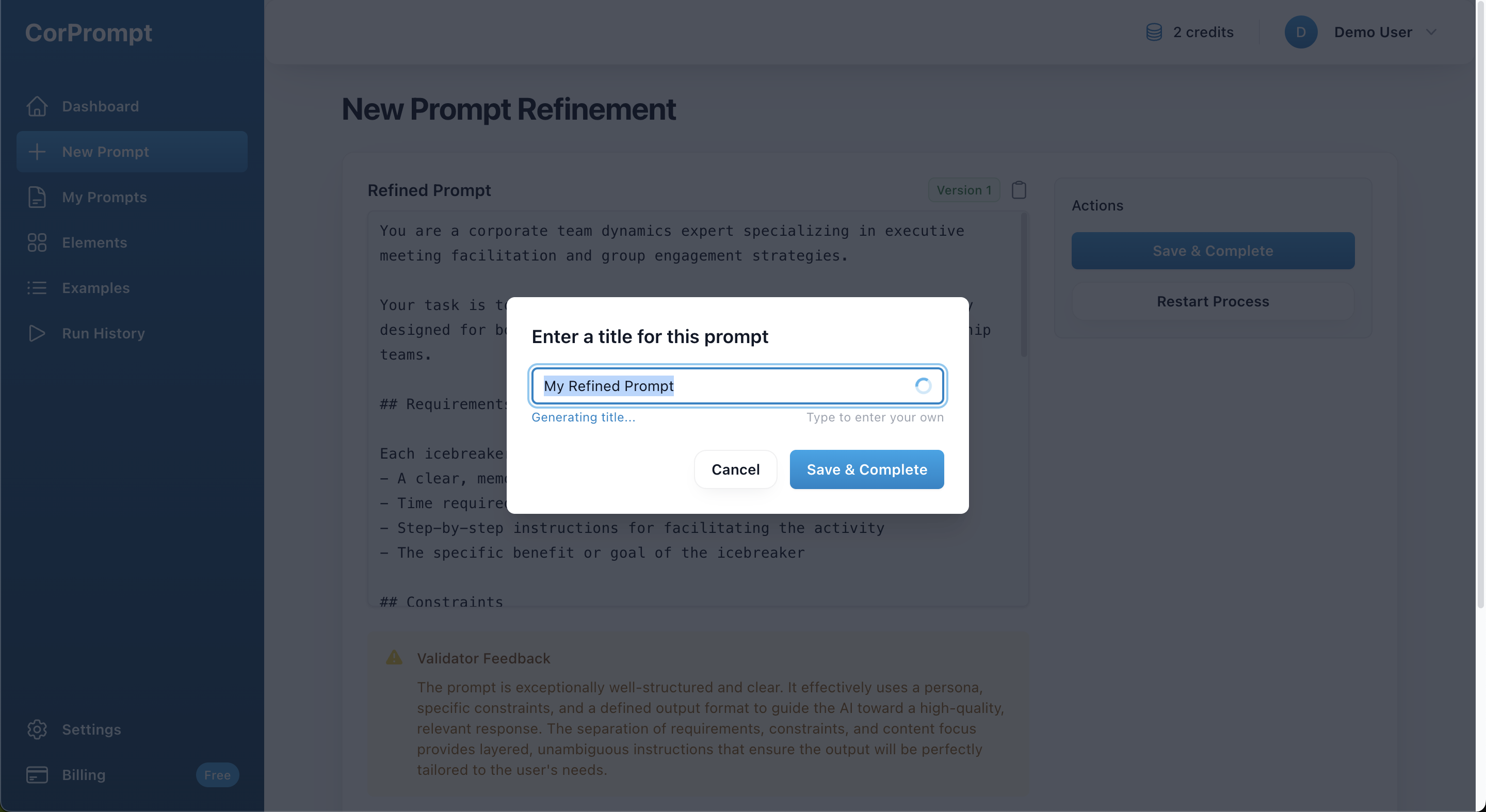
Prompt Title Generation
Prompt Title Generation

7
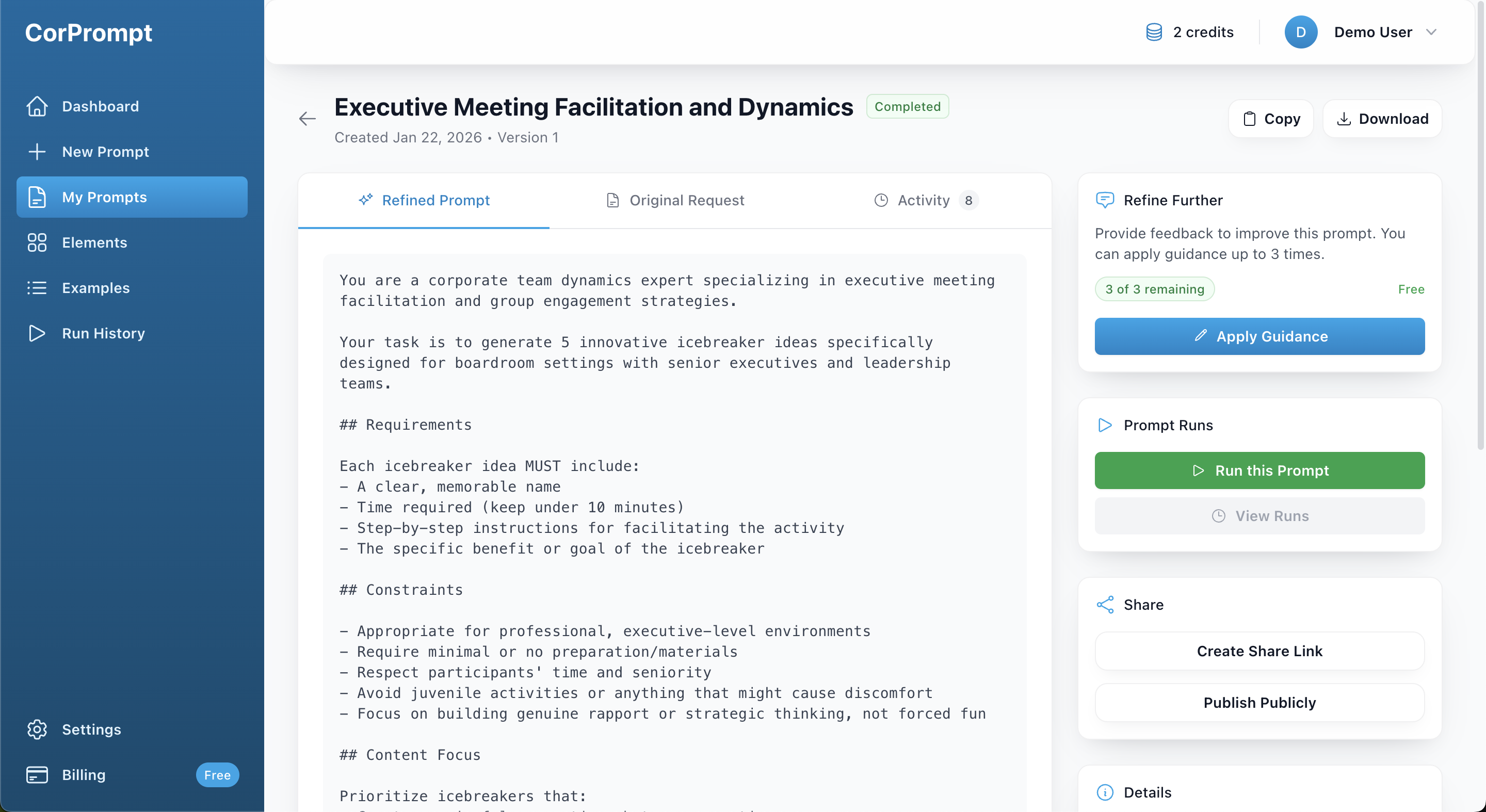
You'll be taken to the prompt details page, where you can revise your prompt by applying guidance, run the prompt to test how various AI models respond to it, and explore additional options.
Refined Prompt Details Page

Refined Prompt Details Page

You've completed this tutorial!

Ready to put what you've learned into practice?

Report Submitted

Thank you for your report. We will review it shortly.

Report Prompt

Help us maintain quality by reporting issues with this prompt. Found an issue with this prompt? Let us know what's wrong. Your IP address will be logged to prevent abuse.

/2000 characters

We use essential cookies to run CorPrompt and keep you signed in. We'd also like to use analytics cookies (Google Analytics) to understand how our site is used and improve the service.

You can accept all cookies, or keep only essential ones. You can change your choice at any time in .

Cookie Settings

We use cookies and similar technologies to operate our service and to measure and improve performance. You can choose which optional cookies we use. Essential cookies cannot be turned off because the site would not work properly without them.

Essential cookies

These cookies are needed for things like secure login, session management, and protecting your account. They are always on and cannot be disabled.

Required

Analytics cookies

These cookies (Google Analytics) help us understand how visitors use CorPrompt so we can improve features and performance. Turning these off will not affect your ability to use the service.