CorPrompt

Using Folders

Organize your prompts by storing them in folders.
4 steps 95 views
1
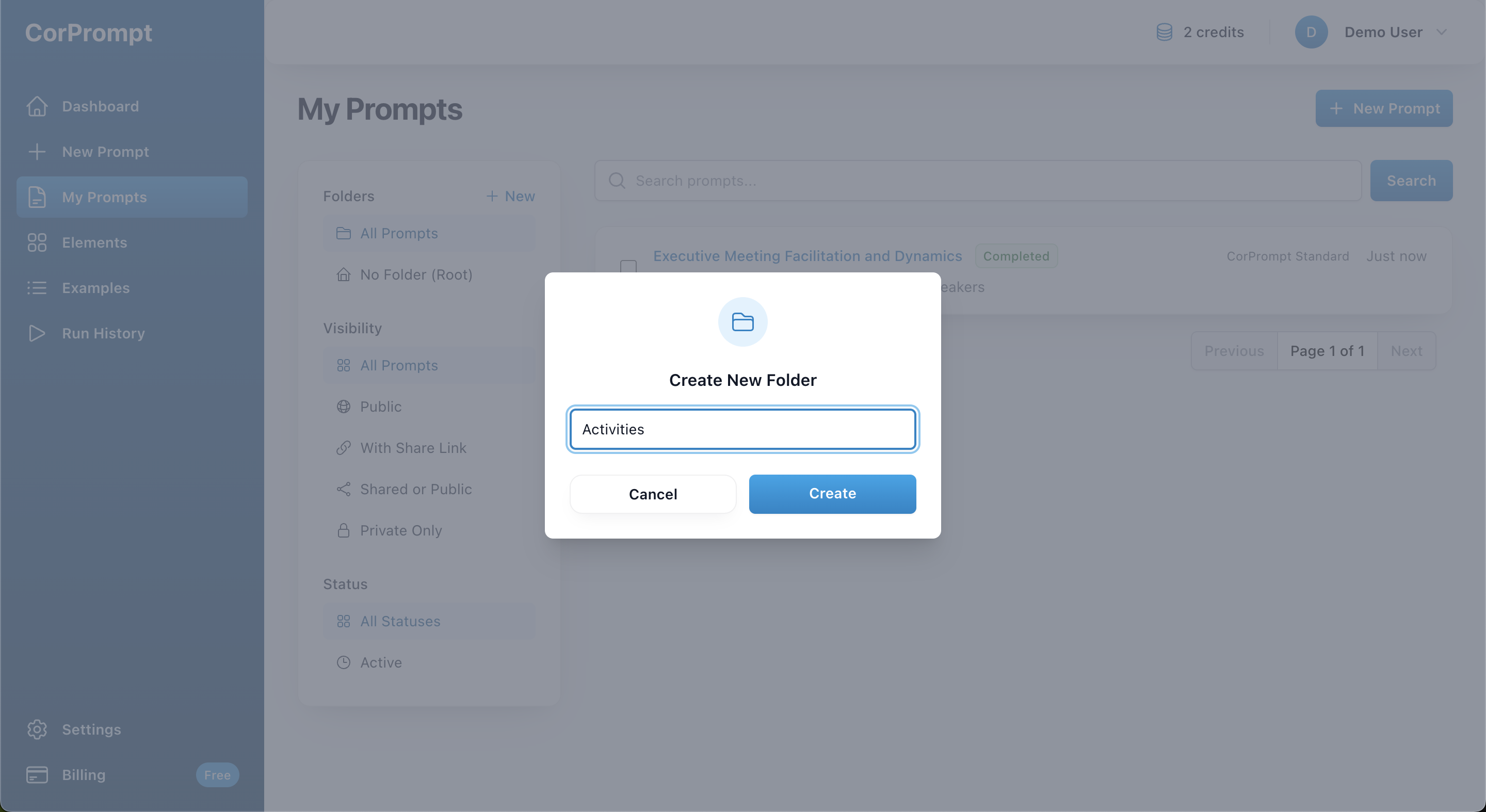
To create a folder, click the + New link at the top of the sidebar on the My Prompts page. Enter a name and click Create.
Create New Folder Form

Create New Folder Form

2
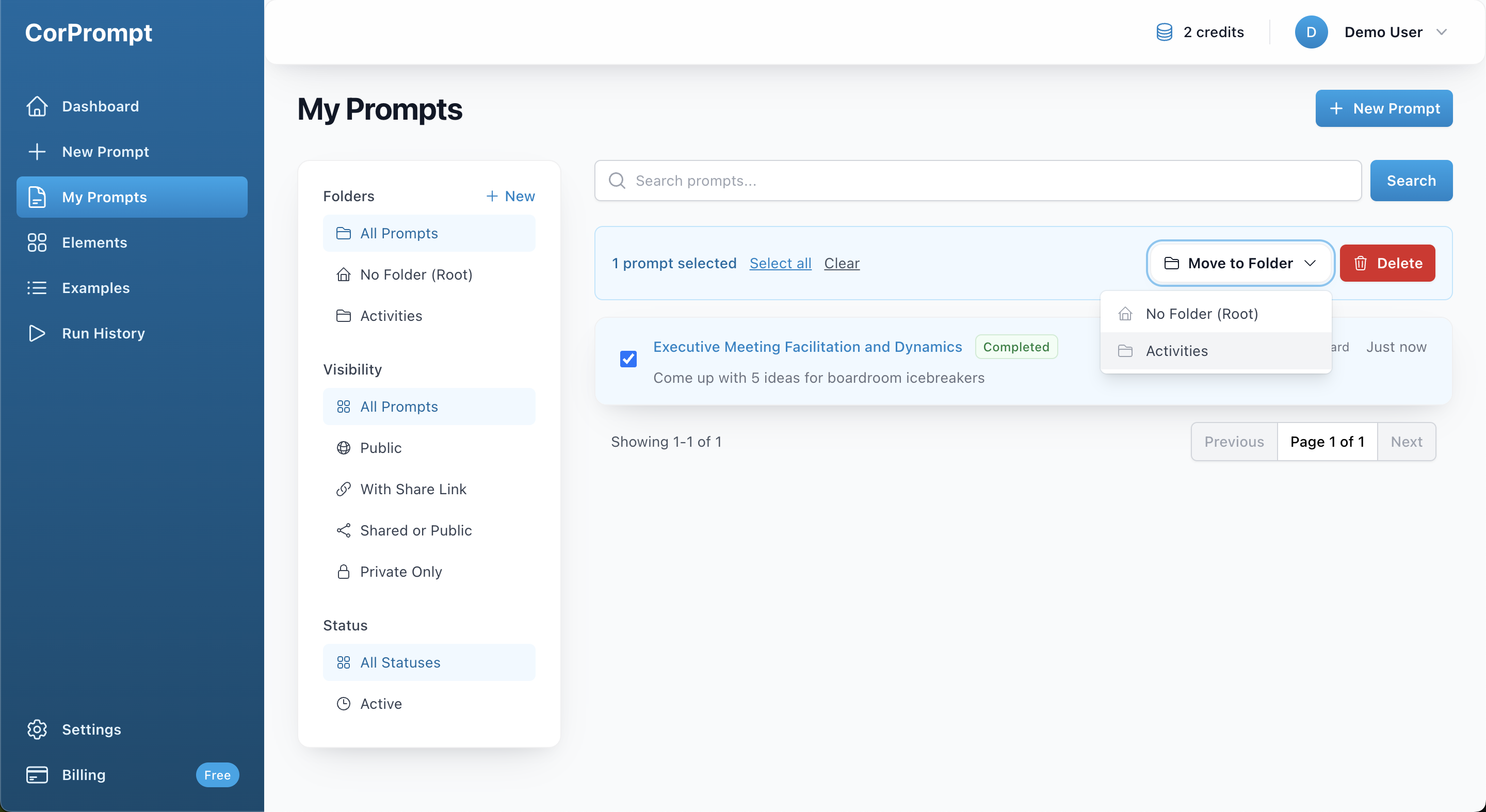
You can move one or more prompts into a folder by selecting them, clicking Move to Folder, and then choosing the desired folder from the list.
Move to Folder Menu

Move to Folder Menu

3
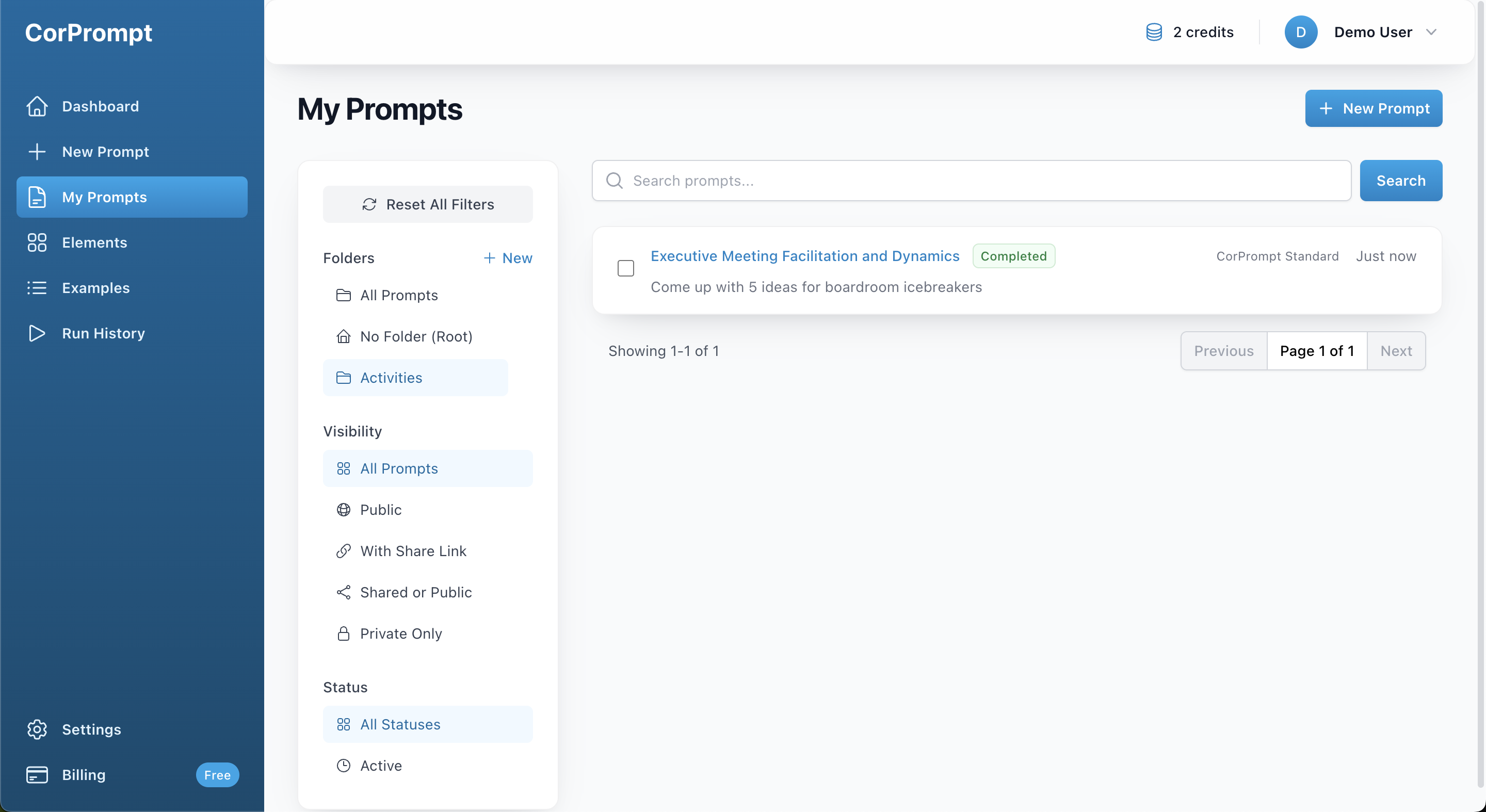
To view prompts in a specific folder, click the folder name in the left sidebar.
Folder Listing Page

Folder Listing Page

4
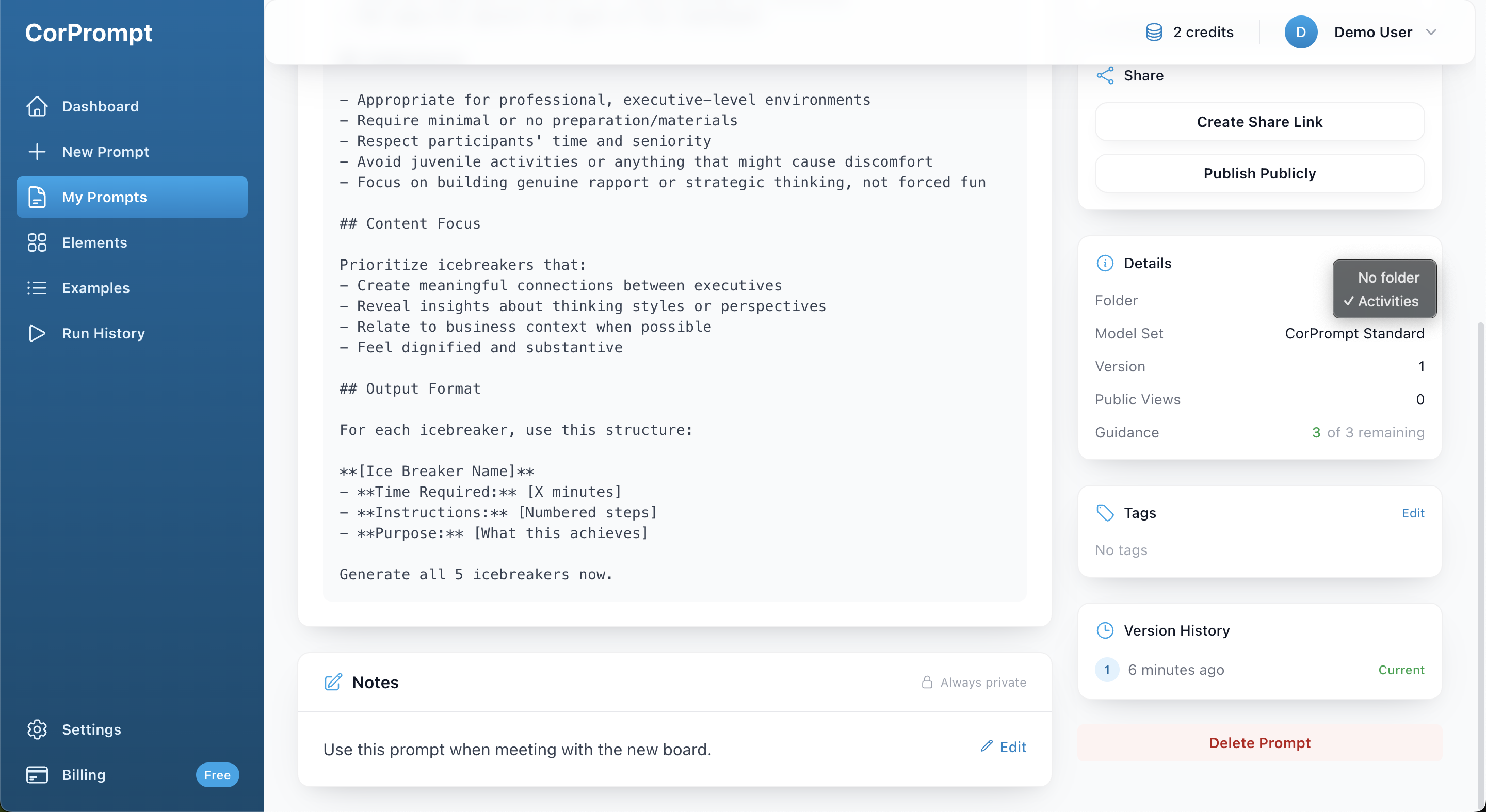
You can also assign a prompt to a folder directly from the prompt details page. To do this, use the folder assignment option located in the sidebar on the right side of the page.
Assign Prompt to Folder

Assign Prompt to Folder

You've completed this tutorial!

Ready to put what you've learned into practice?

Report Submitted

Thank you for your report. We will review it shortly.

Report Prompt

Help us maintain quality by reporting issues with this prompt. Found an issue with this prompt? Let us know what's wrong. Your IP address will be logged to prevent abuse.

/2000 characters

We use essential cookies to run CorPrompt and keep you signed in. We'd also like to use analytics cookies (Google Analytics) to understand how our site is used and improve the service.

You can accept all cookies, or keep only essential ones. You can change your choice at any time in .

Cookie Settings

We use cookies and similar technologies to operate our service and to measure and improve performance. You can choose which optional cookies we use. Essential cookies cannot be turned off because the site would not work properly without them.

Essential cookies

These cookies are needed for things like secure login, session management, and protecting your account. They are always on and cannot be disabled.

Required

Analytics cookies

These cookies (Google Analytics) help us understand how visitors use CorPrompt so we can improve features and performance. Turning these off will not affect your ability to use the service.